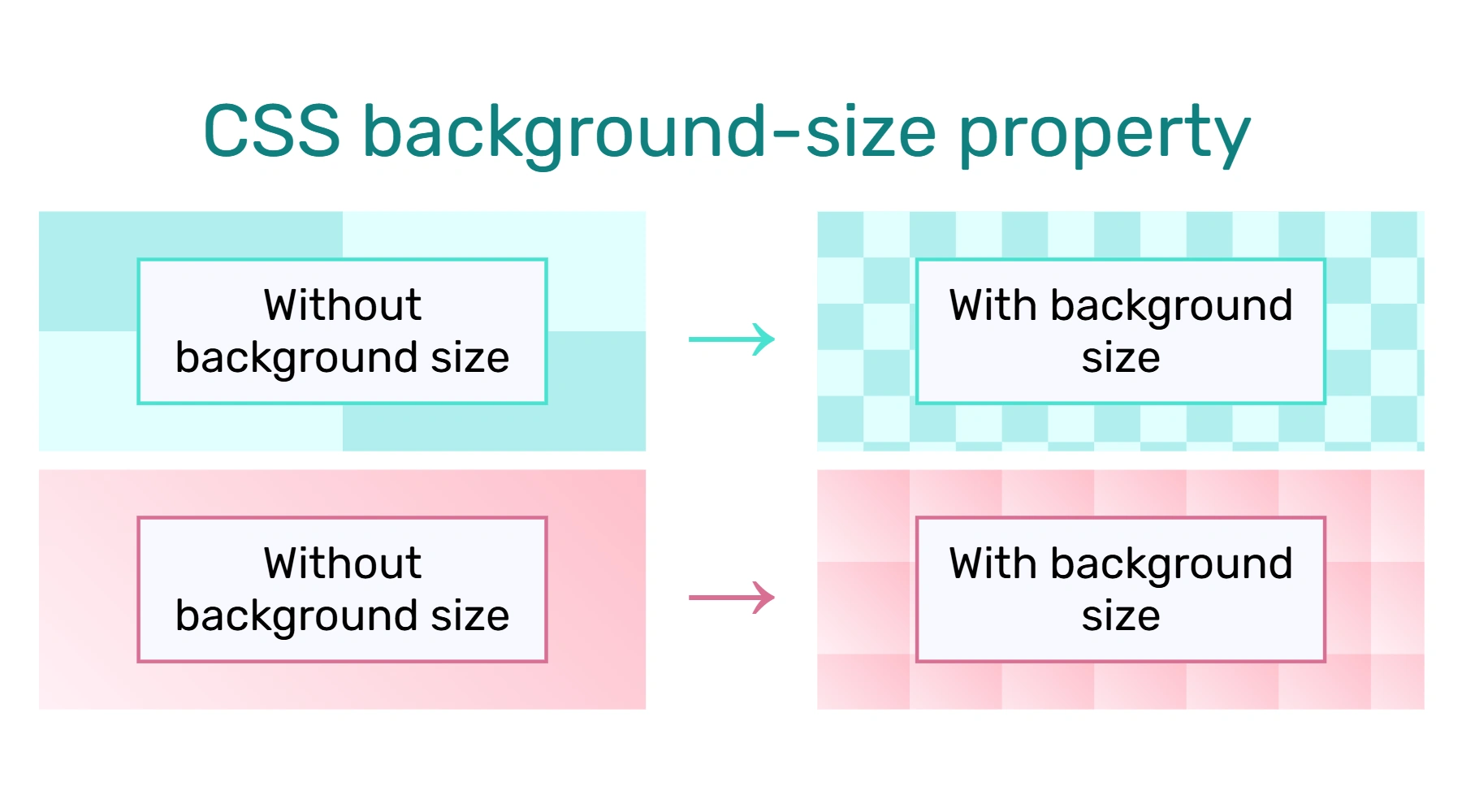

Background size is a CSS attribute that controls how large a background is. It can be handy when you'd like a repeating pattern as a background.
<div style="background: ____; background-size: ___;">CONTENT</div>
There are different ways to express background size, including size in px, percentages, and words like "cover."
General
It looks like this:
<div style="background: ____; background-size: ___;">CONTENT</div>
Inside the background size, you can specify different things:
- Size in px: Enter 2 pixel measurements, like "50px 100px." The first number is width and the second is height.
- Size in %: Enter 2 percentage measurements, like "25% 50%." These are percentages relative to box size. The first number is width and the second is height.
There are also other values you can enter for background-size, like:
- Cover means the background will resize to cover the container, even if stretching or cropping is required
- Contain means the background will be fully
- Initial resets to its default value
- Inherit makes it inherit the value from its parent container
However, you're less likely to use these on wikis. For example, "cover" and "contain" are generally used with background images. Background images don't work properly on wikis (though we have invented partial work-arounds).
Pixel sizes
To use background-size, add the following:
<div style="background:__;background-size:_px _px;">CONTENT</div>
The first space is for a background. For example, perhaps you'd like to put a gradient there.
Now, fill in the 2 _px spaces with sizes for your background. The first one controls width and the second controls height.
Examples
Here's a radial gradient:
Each tile is 50px wide and 50px high.
It's a bit visually distracting.
The code for this:
<div style="background-color: LightCyan; color: black; padding: 10px; background:radial-gradient(LightCyan, PaleTurquoise); background-size:50px 50px;">
Here's a repeating radial gradient.<br/>
Each tile is 50px wide and 50px high.<br/>
It's a bit visually distracting.
</div>
Here are more example CSS styles:
Percentage sizes
Percentage sizes let you set widths and heights according to the box size. For example, maybe you want a pattern to repeat 4 times horizontally, no matter how wide the box is. Then, setting the width to 25% is your best bet.
<div style="background:__;background-size:_% _%;">CONTENT</div>
Like in the px version, the first number controls width and the second controls height.
Examples
Let's try some diagonal tiles. If you're able, resize the width of the window and notice how the pattern shifts.
Each tile is exactly 20% wide and 50% tall.
Count them: 5 per row, 2 per column.
The code for this:
<div style="background-color: LavenderBlush; color: black; padding: 10px; background:linear-gradient(45deg, Ivory, Bisque); background-size:20% 50%;">
Here's a repeating linear gradient.<br />
Each tile is exactly 20% wide and 50% tall.<br />
Count them: 5 per row, 2 per column.
</div>
Some example CSS styles:
Best practices
- See also: Accessibility
Remember that repeating backgrounds can look complex, creating visual clutter. This can make it hard to read any text that goes on top of it. You have 2 options:
- Keep it as simple and subtle as possible.
- Don't put text directly on top of your background. For example, put the text in a white div on top of it.
Here's an example of the latter:
And here's the code:
<div style="background-color: LightCyan; background: repeating-conic-gradient(LightCyan 0% 25%, PaleTurquoise 25% 50%); background-size: 50px 50px; padding: 25px; width: 400px;">
<div style="width: 300px; background-color: GhostWhite; border: 2px solid Turquoise; color: black; padding: 10px; margin: 0 auto;">
The text goes in a white container, while the repeating background is outside it. This lets us read the text easily while still taking in the background.
</div>
</div>
See also
External links
- CSS background-size Property at w3schools
background-sizeCSS property at MDN- CSS Patterns at Heliosanctus wiki for more designs